
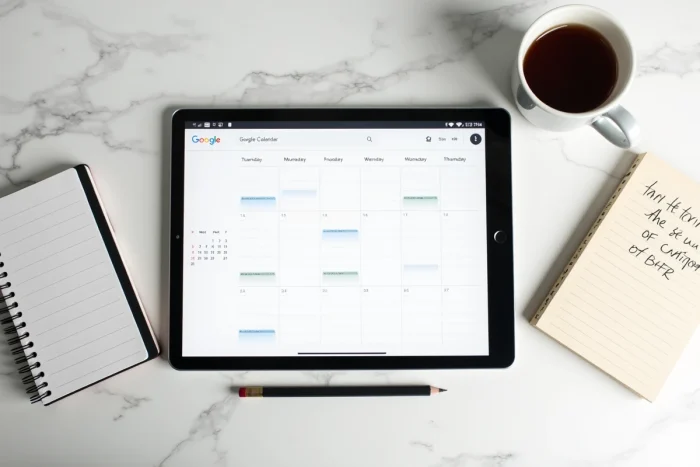
Google Calendar does not show week numbers by default. To organize shared custody, follow a school schedule in even and odd weeks, or simply to keep track of the year, this information is sorely lacking. The setting does exist, but it is buried in the settings, and its behavior varies depending on the device used.
ISO 8601 Standard and Week Numbering in Google Calendar
Before adjusting the settings, a technical point needs to be made. Week numbering depends on a convention: the ISO 8601 standard defines week 1 as the week that contains the first Thursday of January. This standard is used in most European countries.
Google Calendar relies on this standard, but with a nuance. The regional and language settings of the account influence the calculation. An account configured in English (United States) may produce shifted numbers compared to an account in French, because the American convention sometimes starts week 1 differently.
The inconsistencies between the desktop version and the mobile app, reported by users as early as 2020 on Reddit, have been largely corrected by Google in recent updates. Current versions tend to align the numbering with the user’s regional settings, which significantly reduces the discrepancies observed previously. A detailed guide explains how to display the week number in Google Calendar taking these language settings into account.
If your Google account is configured in French (France), ISO 8601 numbering normally applies without intervention. However, an American English account may sometimes require forcing the first day of the week to Monday to achieve the correct numbering.

Enabling Week Numbers on Desktop and Mobile
On the Web Version of Google Calendar
Enabling it goes through the general settings. Click on the gear icon in the top right corner, then on “Settings.” In the “Display Options” section, a checkbox allows you to show week numbers in the monthly view and in the sidebar.
Once enabled, each Monday (or the first day of your week according to your settings) displays a small clickable number. This number directly switches to the corresponding weekly view, making navigation easier.
On the Android App
Since the latest updates of the Google Calendar app on Android, the setting is accessible directly within the app. Open the side menu, go to settings, then look for the option in the calendar display settings. Most older tutorials indicate that this option does not exist on mobile, but that is no longer the case.
On iPhone
Google Calendar on iOS does not always offer this option as visibly. One solution is to enable “Week Numbers” in the native iPhone settings (Settings > Calendar), which syncs the display with Google Calendar via Apple’s Calendar app. This method provides a stable reference to verify the numbering even if the Google app does not display it directly.
Even and Odd Weeks in Google Calendar: Concrete Use Cases
Displaying a week number is one thing. Utilizing it daily to distinguish between even and odd weeks is another. Several situations make this distinction essential:
- Shared custody, where each parent needs to know instantly if the current week is “theirs,” without manually counting from the beginning of the year
- School or university schedules organized in alternating A/B weeks, common in French secondary education
- On-call rotations in companies, where teams rotate on an even/odd cycle
For these cases, several recent educational resources recommend combining the display of week numbers with a color code. Google Calendar allows creating recurring events every two weeks. By assigning a specific color to even weeks and another to odd weeks, identification becomes visual and immediate.
The concrete method: create a “full day” event named for example “Even Week” on the first Monday of an even week. Set the recurrence to “every 2 weeks.” Assign it a distinctive color. Repeat the process for odd weeks with a different color.
Limits and Numbering Discrepancies to Know
The system is not perfect. Numbering discrepancies mainly occur at the end and beginning of the year, when week 1 of January overlaps with December. Depending on whether your system follows the ISO standard or the North American convention, the last week of December may be numbered 52, 53, or even 1.
On a Google account configured in French, the ISO 8601 standard applies: some years count 53 weeks. This is not an error; it is the normal functioning of the ISO calendar.
Another point of friction concerns shared calendars. If you share your calendar with a colleague whose account is configured in a different language, the week numbers displayed on their end may differ from yours. Google does not provide a mechanism to enforce a common numbering within a shared calendar. Field reports vary on this point: some users report automatic alignment since the latest updates, while others still notice occasional discrepancies.
To limit these issues, the most reliable precaution remains to ensure that all users of a shared calendar have set the same first day of the week and the same language in their Google settings.
- Check the language of the Google account (Account Settings > Language) and not just the device language
- Set the first day of the week to Monday in Google Calendar settings
- Occasionally compare with an online ISO 8601 reference calendar for transition weeks (end of December, beginning of January)
The display of week numbers in Google Calendar covers the vast majority of common needs once the settings are correctly positioned. For organizations that rely on this numbering daily, checking the language settings of the account remains the most effective preventive measure against unpleasant surprises at the beginning of the year.